

More bookings, more regulars, fewer empty chairs
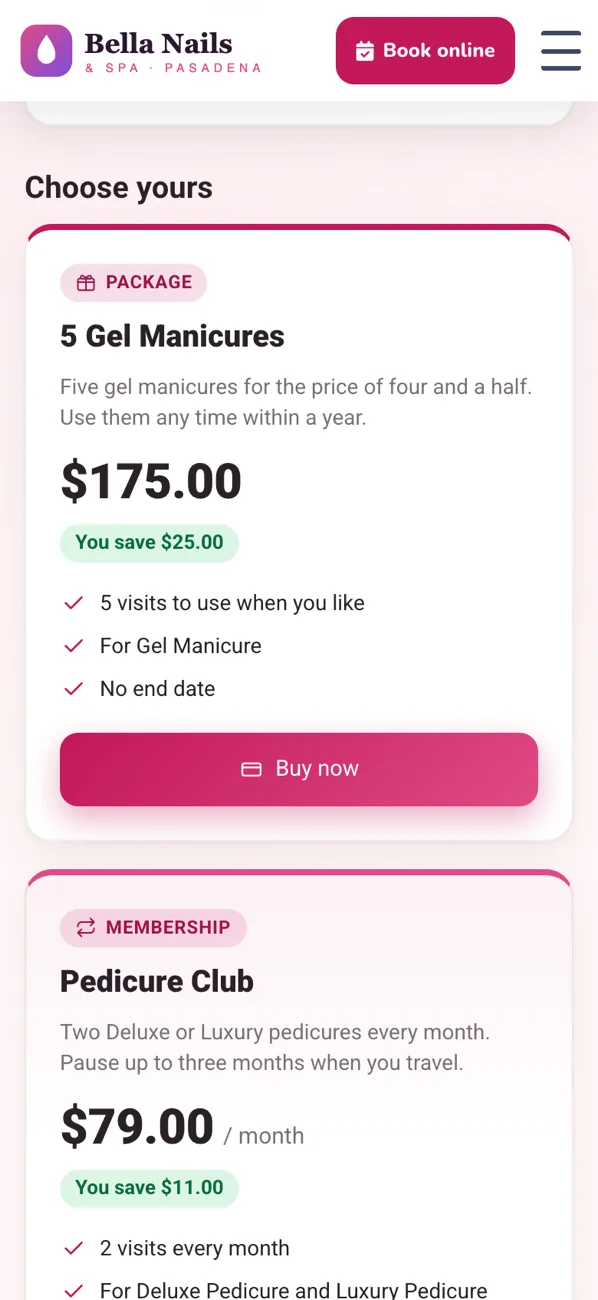
Your website sells gift cards, packages and memberships, and books add-ons, standing visits and quiet-hour times. Your back office texts clients, remembers their formulas and brings them back. All of it comes with EraPOS.


Booking that sells for you
Every booking is a chance to add a little more and to fill a quiet hour. Drag the cards to see each one.
Booking opens where they are
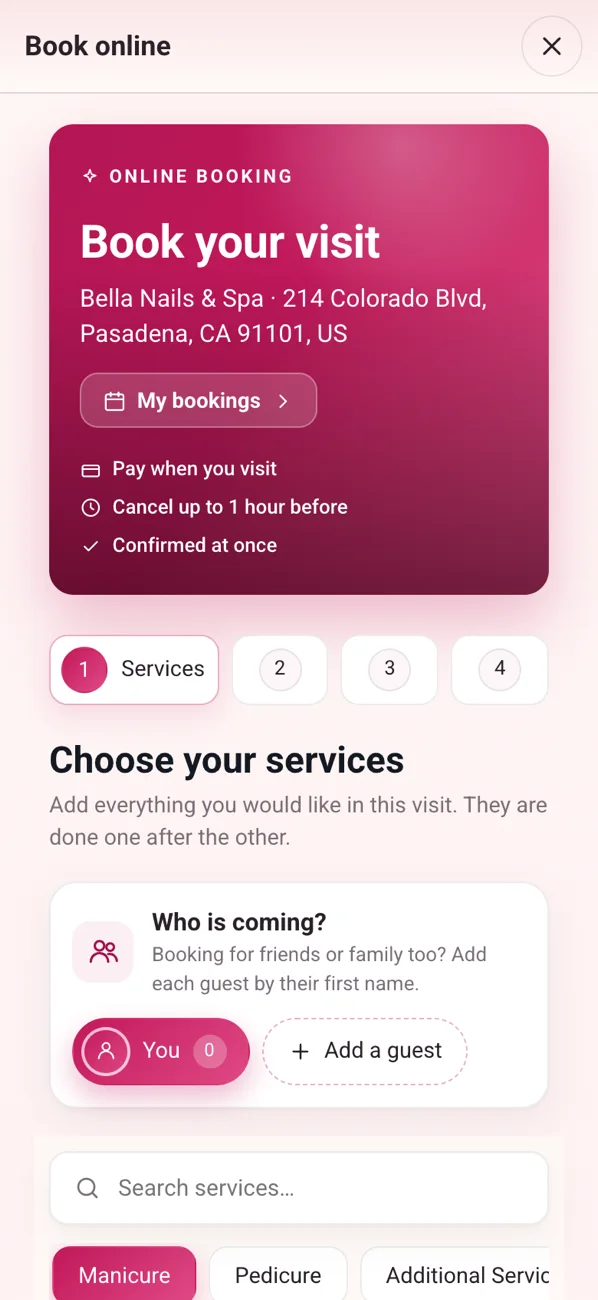
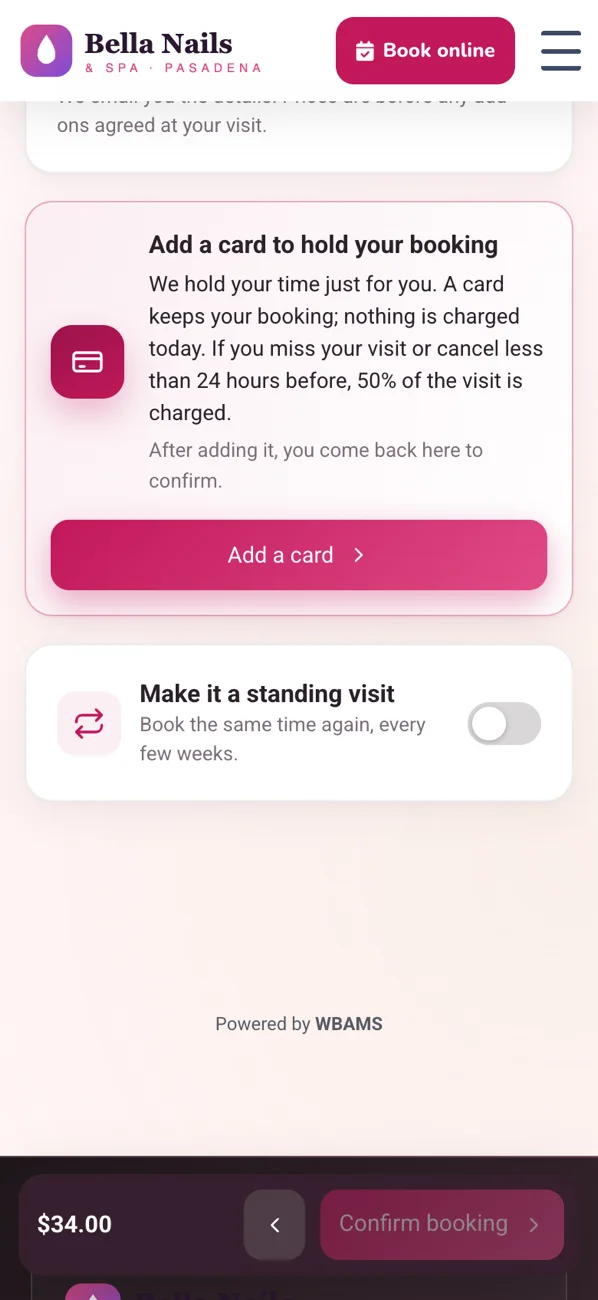
Every Book online button on your website opens the booking in a panel over the page the visitor is reading: from the side on a computer, as a full sheet on a phone. Your booking page also carries your whole service menu with times and prices, so search engines read it too.


A gift card in a minute, any time of day
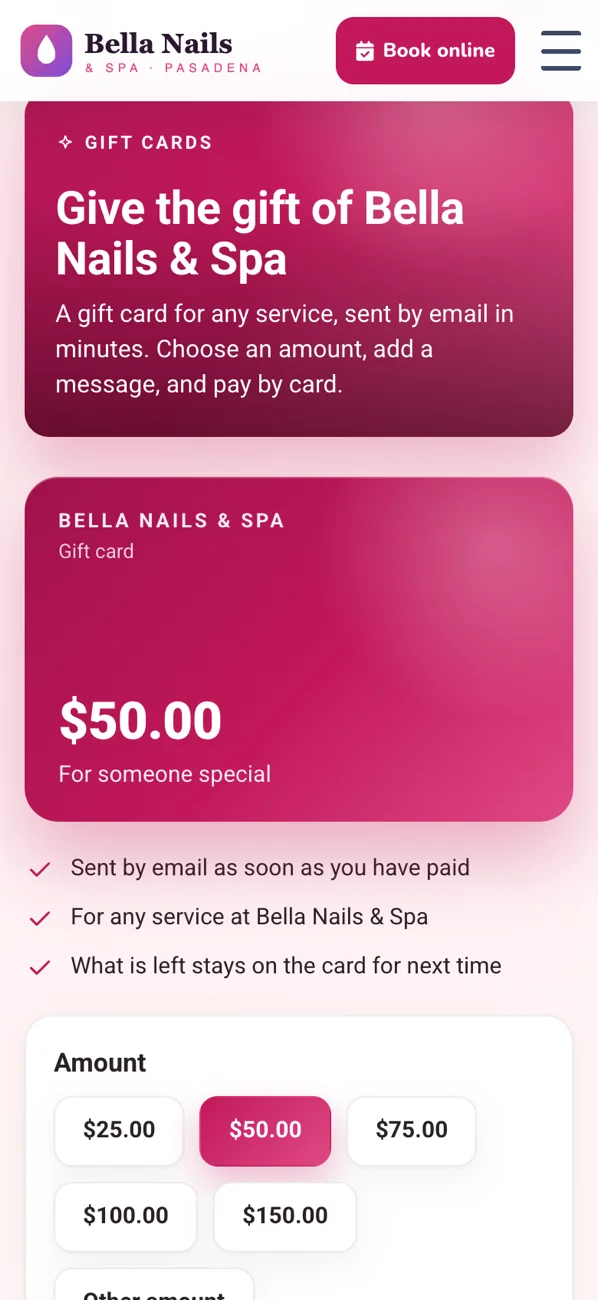
Clients choose an amount, who it is for and a message beside a live picture of your card, and pay by card. The card is emailed to the person it is for, works at every register, and has its own phone page with the balance, the number and a barcode. Apple Wallet and Google Wallet too.

The back office that keeps in touch
Texts, campaigns and reminders that go out on their own, so nobody has to remember who is due.

Two-way texts
Every conversation in order, with replies from your location's number. Unread texts show in the bell. Nobody who texted STOP is ever texted again.
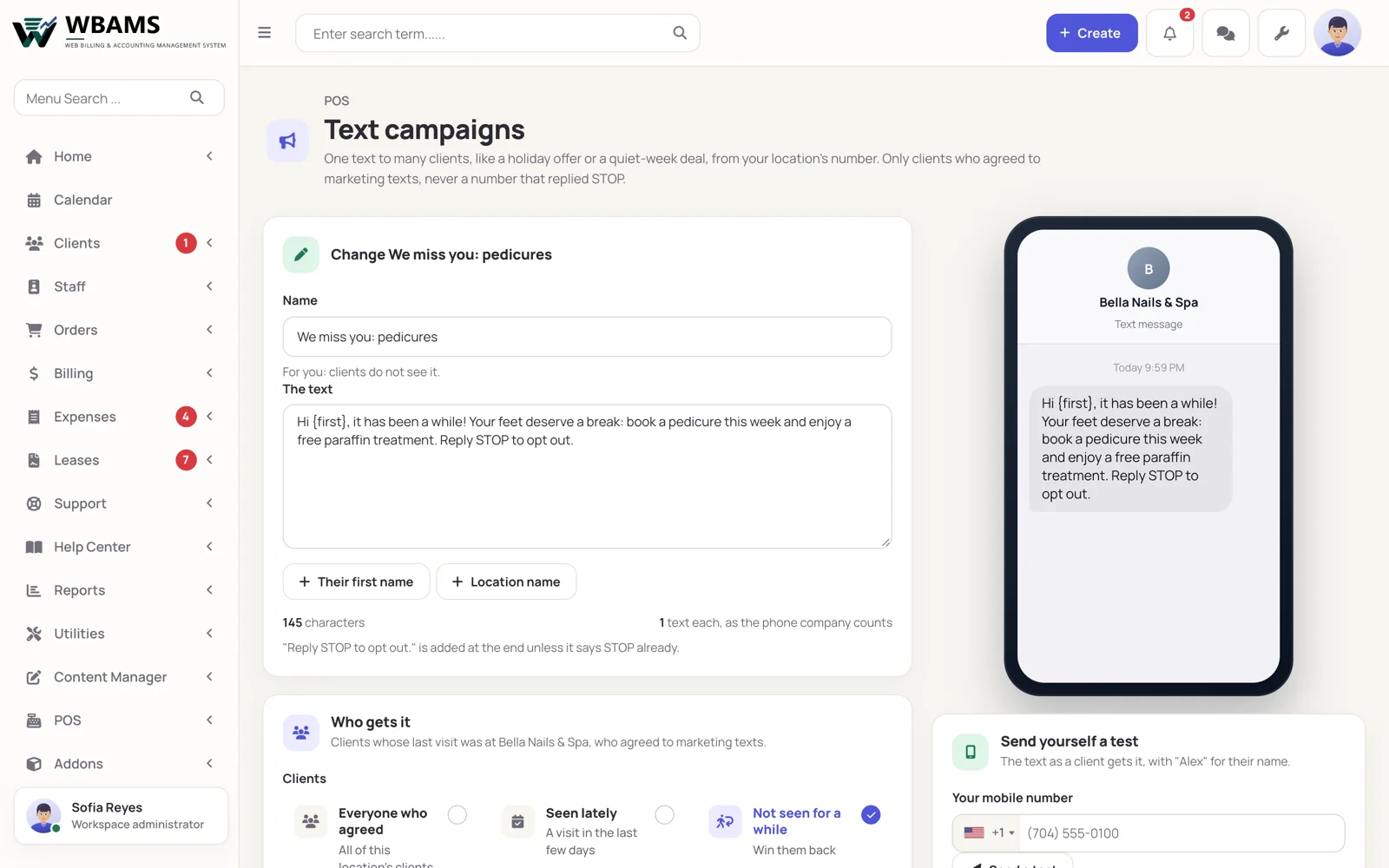
Text campaigns
One text to many clients, now or at a set time, only to clients who agreed to marketing texts. See the audience counted as you choose it, a phone preview and a test text to yourself.
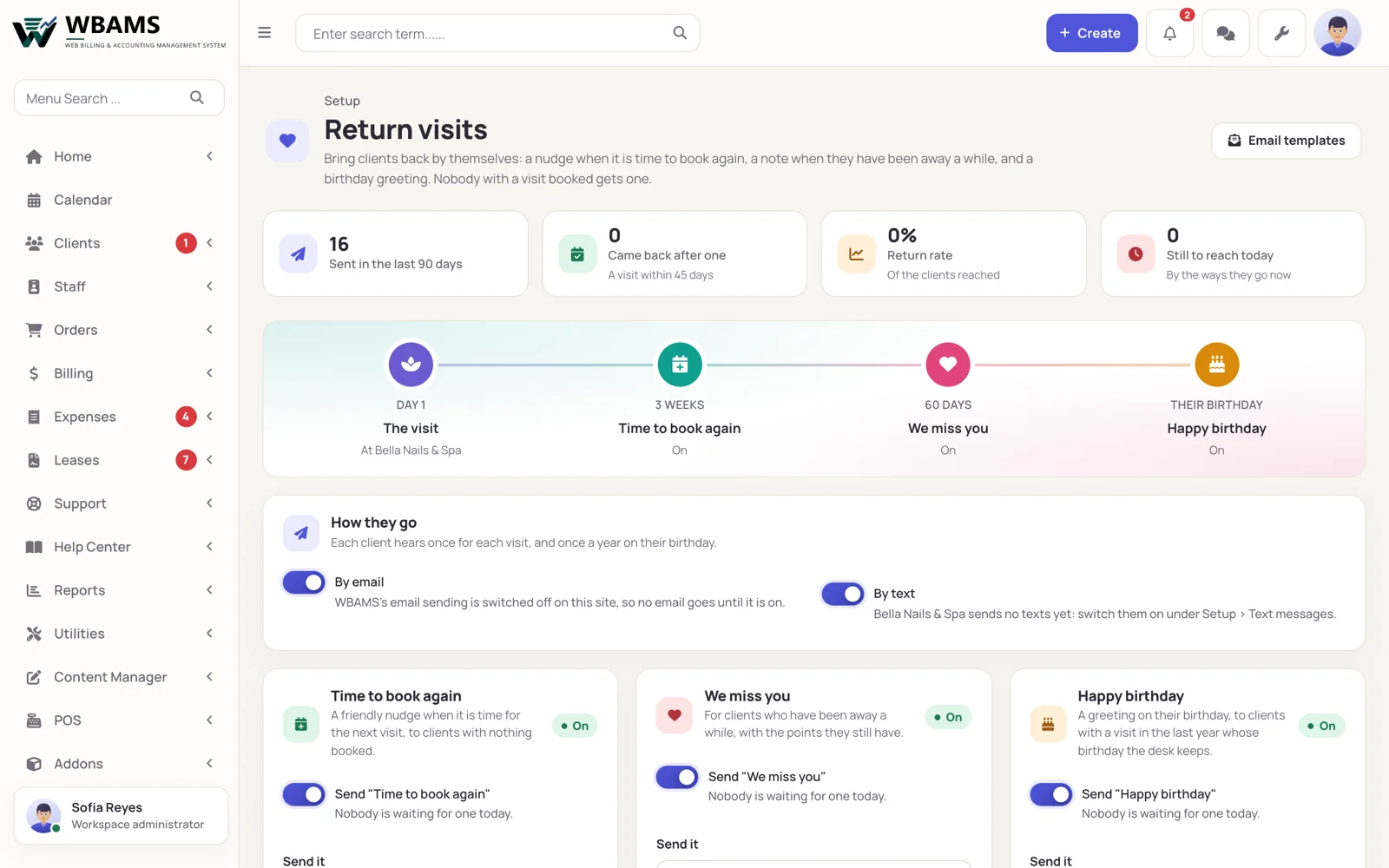
Return visits
Time to book again a few weeks after a visit, We miss you after a longer time, and Happy birthday with gift points. Each goes once, only to clients with nothing booked.
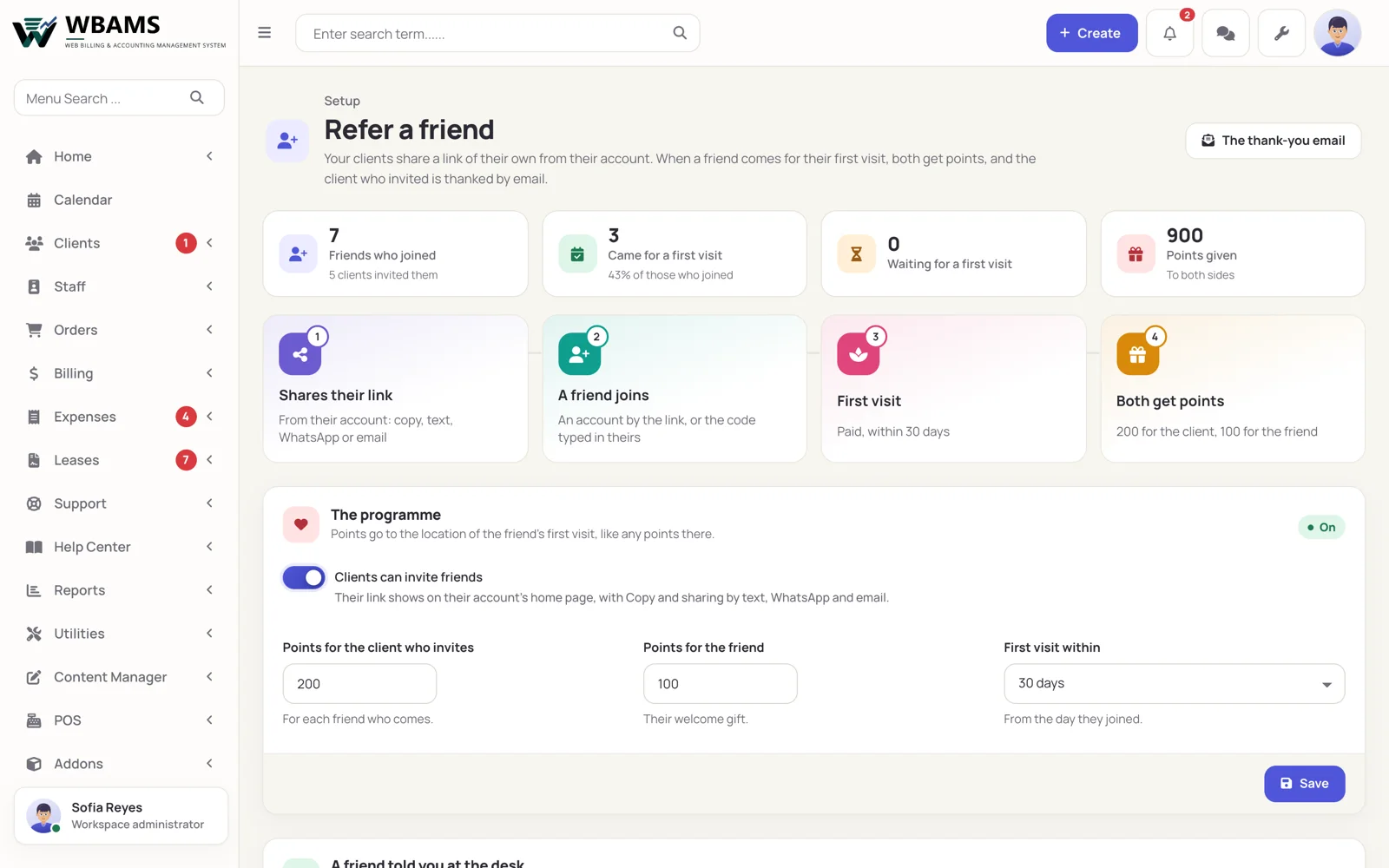
Who joined, who came
Refer a friend shows who joined, who came for a first visit and who is still waiting, with the points given to both sides.
From the booking to the next booking
How the new pieces work together for one client, Ava, over a few weeks.
-
Monday
Ava books online
She opens Book online from your gallery page, adds French tips to her gel manicure and picks a 10:30 AM time at 15% off. -
Right after
Health questions, once a year
Your pedicure and waxing forms ask what you need to know. Ava answers on her phone after booking; others answer on the check-in tablet. Answers that need a look are flagged. -
Her visit
Her care notes are waiting
Her latex allergy shows as an alert, with last time's colour, formula and photos. Repeat the formula for today in one tap. -
At the desk
A package, and something for home
She buys five gel manicures ahead and a cuticle oil. The stock counts itself down, and you get an email when it runs low. -
Three weeks later
Time to book again
If she has nothing booked, a friendly text and email remind her. Her birthday brings a greeting and gift points. -
Any day
She brings a friend
Her invitation code brings a friend for a first visit, and both get points.
Fewer surprises at the front desk
About the new features
No. They come with EraPOS. Each one is off until you set it up, so nothing changes for your clients until you are ready.
In your back office: POS has Stock, Packages, Service add-ons, Standing visits, Care notes, Intake forms, Texts, Text campaigns, Rooms and equipment and Off-peak prices. Setup has Refer a friend, Return visits, Waiting list and Booking protection. Gift cards are under Billing › Gift cards.
Yes. Both use Stripe: the card on file for a booking and the payment for a gift card bought online.
Only clients who agreed to them. Consent to marketing texts is kept apart from emails: clients give it when booking online, signing up or on My Details, and a STOP takes it back.
Ready to fill the quiet hours?
Tell us about your salon, and we will show you how to set up gift cards, packages and texts.
Powered by WBAMS