
Keep each client's allergies, preferences and formulas, and ask health questions before a visit, online or on the check-in tablet.

Care notes
Each client's page has a Care notes card. System Settings › Care notes finds a client and lists everyone with an allergy alert.
- Allergies and sensitivities, with an alert that shows wherever the client is opened.
- Preferences, such as shape, length or massage pressure.
- Care records: the service, who did it, the formula, notes and up to 6 before and after photos. Repeat a formula starts today's record from an earlier one.
Intake forms
- Open System Settings › Intake forms and press Add a form.
- Add questions: yes or no, one of a list, or a written answer. Mark the answer that needs a look, such as Yes to an allergy.
- Choose the services it is for, or every visit, and how often it is asked: before every visit, once, or every 6 or 12 months.
Clients answer online right after booking or from My bookings, or on the check-in tablet when they arrive. Answers that need a look are flagged on the client's page.
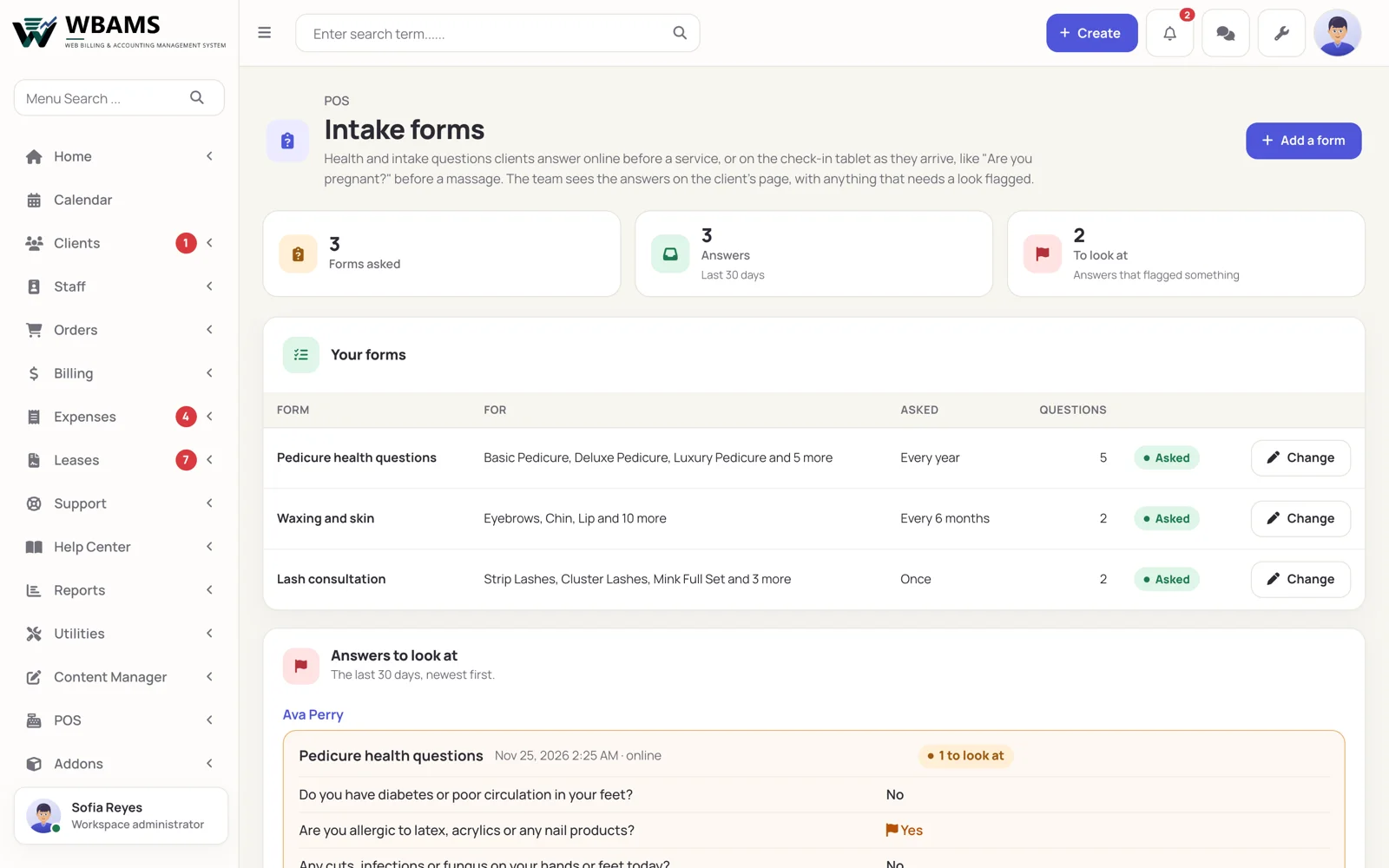
Step by step, with pictures, in the EraPOS documentation: Care notes, Intake forms.