

Talk with clients by text from your location's number, and send one text to many clients who agreed to marketing texts.

Two-way texts
Open Clients › Texts. Each conversation shows its texts in order; choose one and type your reply, which goes from your location's number. Unread texts show in the bell and beside Clients › Texts in the menu. Nobody who texted STOP is ever texted.
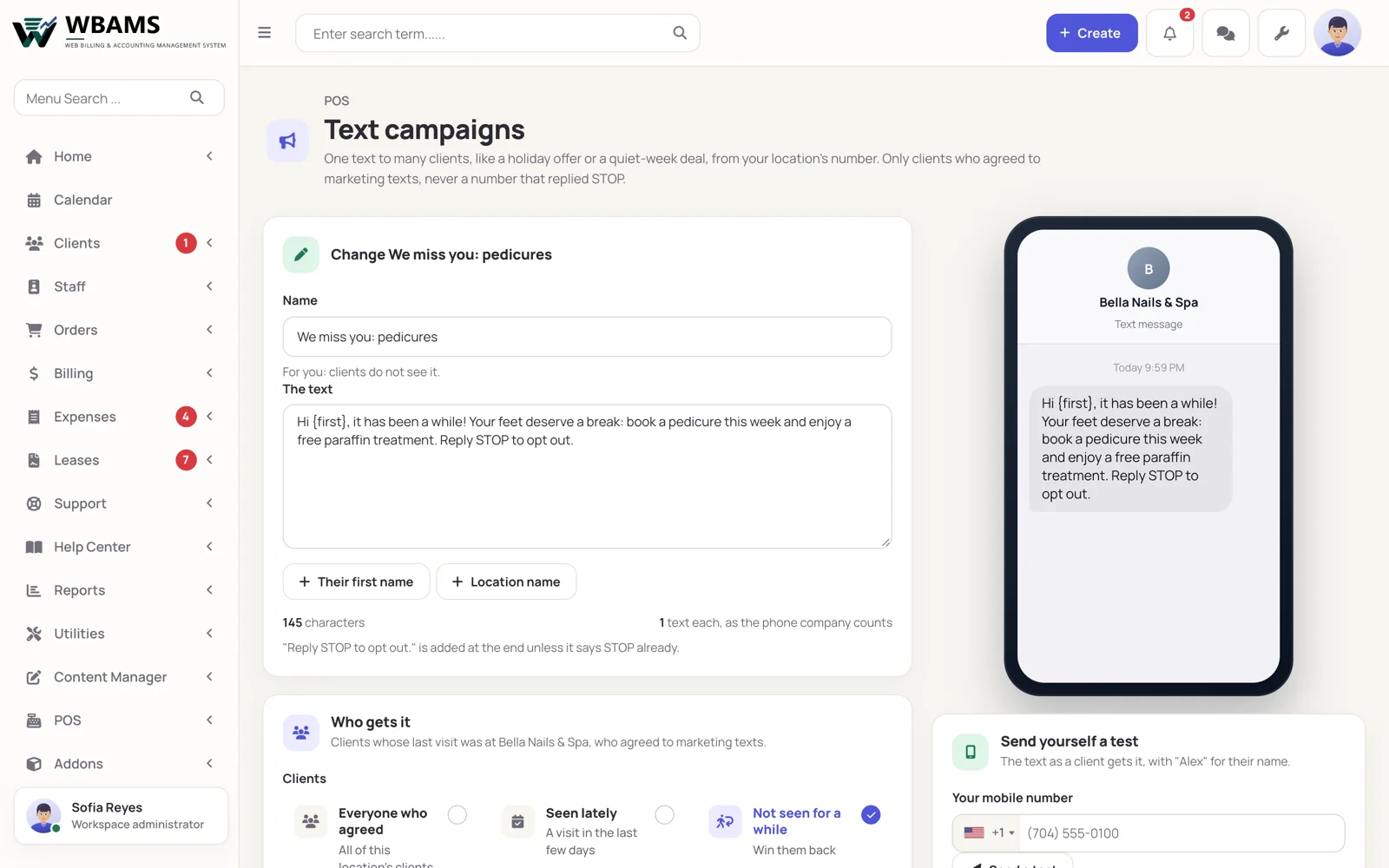
A text campaign
- Open System Settings › Text campaigns and press New campaign.
- Write the text. Add the client's first name or your location's name with the buttons under it.
- Choose who gets it: every client who agreed, clients seen lately, or clients not seen for a while, who had a chosen service, and only those with nothing booked if you like. The audience is counted as you choose.
- Look at the phone preview, and send a test text to yourself.
- Send it now, choose a day and time, or keep it as a draft.
Consent to marketing texts
Campaigns go only to clients who agreed to marketing texts. That consent is kept on its own, apart from emails: clients give it when booking online, signing up or on My Details, and a STOP takes it back.
Texts need your location's texts switched on under System Settings › Text messages.
Step by step, with pictures, in the EraPOS documentation: Two-way texts, Text campaigns.